
Nextplus: Phone # Text + Call
textPlusCommunication
4.222.89K Reviews
- Version
- 3.3.6
- Installs
- 10.00M
- Age Rating
- Everyone
Screenshots
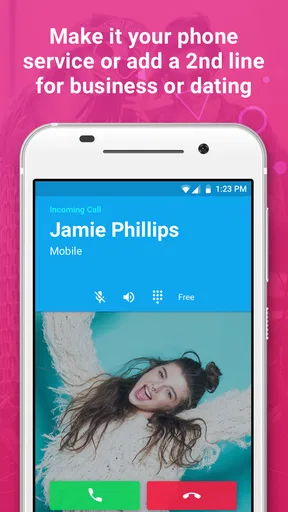


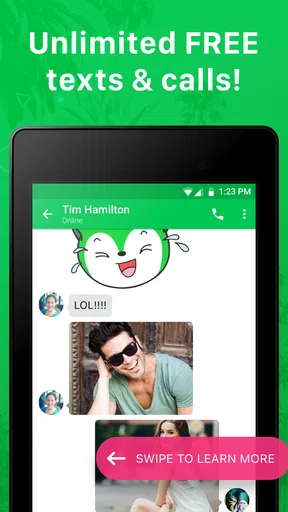
Our Review of Nextplus: Phone # Text + Call
 Analysis by Appyee
I see Nextplus as a useful second-number option, not a full replacement for a regular mobile plan. Its appeal is straightforward: it gives you a separate number for internet-based calls and texts, which can help when you want to keep a personal line private or communicate without relying on a SIM-connected service. The trade-off is that the experience depends on an internet connection and includes advertising and paid extras, so it suits some communication needs much better than others.
A second line for specific situations
I’d consider Nextplus when I need a number for a clearly defined purpose rather than another all-purpose phone line. For example, someone selling furniture locally could share the app’s number with prospective buyers, then keep those calls and messages apart from family conversations. A student arranging a group project or a traveler using Wi-Fi to stay in touch could also find a separate internet-based line handy.
That separation is practical, but I wouldn’t treat it as complete anonymity or assume it replaces careful privacy habits. A second number can reduce how often you share your primary number; it doesn’t make every conversation private by itself. I’d still think carefully before posting it publicly, and I’d use a different channel for sensitive conversations that need stronger privacy protections.
What relying on Wi-Fi really means
The most important question before installing is whether the places you use your phone have dependable internet access. A call over Wi-Fi can be convenient at home or in a café, but a weak connection may interrupt a conversation even when your regular phone service would have worked. If you need to be reachable while driving, outdoors, or moving through areas with unreliable connectivity, a conventional mobile line is the safer primary option.
There’s also a useful distinction between having an app-based number and having ordinary cellular service. Nextplus can help with communication when you’re connected, but it shouldn’t be your only plan for urgent calls or situations where consistent reachability matters. I’d test it with a nonessential conversation first, from the locations where I expect to use it, before giving the number to people who need to reach me reliably.
Keeping the number useful
A second line works best when you decide in advance what it is for. I’d use one contact group or activity for it—such as marketplace inquiries, temporary projects, or casual contacts—and keep my main number for people and services that need long-term access. That simple boundary makes it easier to recognize why someone is contacting me and to stop using the extra line when its original purpose has passed.
Before sharing the number widely, I’d also make sure I understand how I’ll access the account again if I change phones or reinstall the app. Treating an app-based number as a permanent identity without checking account access is a poor bet. For a short-term task, that may not matter much; for a number you expect to keep for years, continuity deserves more thought.
How it compares with familiar alternatives
Compared with a second SIM or an additional mobile plan, Nextplus avoids the need to maintain another conventional line, but it trades cellular availability for dependence on internet access. Compared with messaging through a social network, it offers a phone-number-based way to reach people, which can be more convenient when they don’t use the same chat service. Neither comparison makes it universally better: a second SIM is more suitable when dependable mobile coverage is the priority, while a familiar messaging app may be simpler if everyone you contact already uses it.
I’d also separate “free to install” from “free in every circumstance.” The app is free, but it offers in-app purchases, and the experience includes ads. That makes it worth trying before spending money: first see whether the number, call experience, and ad frequency work for your routine. If you only need occasional domestic communication, paying for extras may not be necessary; if the advertising becomes more irritating than the service is useful, another option may suit you better.
Who should choose it—and who should pass
Nextplus is most appealing to people who want a separate number for casual calls and texts, already have reliable internet where they communicate, and can accept an ad-supported app. It may be a sensible fit for a temporary project or for keeping a public-facing contact number away from a personal line. Its free starting point also makes it easier to try without committing to another standard phone plan.
I’d skip it as my sole number if I needed dependable reachability throughout the day, expected to communicate in places with poor internet, or wanted a straightforward service with no ad-supported trade-off. I’d also look elsewhere if my contacts all prefer a particular messaging platform and don’t need to reach me by phone number. The best choice depends less on the headline promise than on where, how often, and with whom you need to communicate.
For a realistic everyday test, imagine arranging a pickup with someone you don’t know well. You can give them the app-based number for scheduling, handle the conversation while connected, and keep your main number out of that exchange. Once the pickup is over, you can decide whether that contact still needs the extra line. It’s a modest privacy boundary, not a guarantee of privacy, and that distinction is what makes the use case sensible rather than overconfident.
People often wonder whether they need a SIM card or whether the app will work without cellular service. Its core appeal is that calls and texts can run over an internet connection, so a SIM-based phone plan isn’t the point; dependable Wi-Fi or other internet access still matters. They may also ask whether international calling follows the same arrangement as domestic use: it doesn’t, and credits are needed for international calls. I’d check the cost in the app before making one, rather than assuming every destination is covered on the same terms.
Another practical consideration is how the number will be used by other people. A phone-number-based service can reach contacts who aren’t on the same social messaging platform, but recipients may not recognize an unfamiliar number at first. I’d introduce myself clearly in the first message and avoid using the line for accounts or relationships where losing access would create a serious problem. That small bit of context can prevent confusion and helps keep an informal second number in its proper role.
There’s a compromise in the free model that is easy to overlook: the app’s cost is not only measured in money. Ads take attention, and earning international credits through ads or offers takes time. If I’m making occasional domestic calls, that may be a fair exchange; if I need frequent international conversations, I’d compare the credit expense and effort with a paid calling service before settling in. The right choice depends on the pattern of use, not simply on whether the download costs nothing.
Nextplus is a communication app from textPlus, and its track record gives a new user some context: it has a 4.1 average from around 149,000 ratings and more than 10 million installs. It’s free to start, rated Everyone, and its current version is 3.3.2; in-app purchases range from $0.99 to $44.99 per item. Those figures don’t tell me whether it will work well on a particular connection, so I’d still judge it by a brief real-world trial before relying on it.
My overall view is that Nextplus earns its place as a flexible extra line for people who understand its limits. It can make casual communication and number separation easier without another conventional plan, but it isn’t the answer to every need for privacy, coverage, or uninterrupted access. I’d recommend giving it a try if a Wi-Fi-dependent second number fits your routine; for a primary line or essential calls, I’d choose a more dependable conventional service instead.
Ever found yourself stuck without a phone plan but need to make a call or send a text? I’ve been there too, and that’s when I stumbled upon Nextplus. It's a nifty app that promises free texting and calling without the need for a traditional phone service. But does it live up to the hype? Let’s dive in and explore everything that Nextplus has to offer.
What is Nextplus?
Nextplus is essentially a mobile app that provides users with a free phone number to make calls and send texts over Wi-Fi. It’s a perfect solution for those who want to save some bucks on their phone bills or need a secondary number without the hassle of another SIM card. The app is available on both Android and iOS, so no matter what device you rock, you’re covered.
Setting Up Your Account
Getting started with Nextplus is as easy as pie. After downloading the app, you’re prompted to create an account. Just enter your email, set a password, and boom—you’re in! The app assigns you a free phone number, which you can use to send texts and make calls to anyone in the U.S. Pretty sweet deal, right?
Once you’ve got your number, you can dive into personalizing your profile. Add your name, maybe a quirky status, and you’re ready to go. The user interface is clean and easy to navigate, making the whole setup process a breeze.
Texting and Calling Features
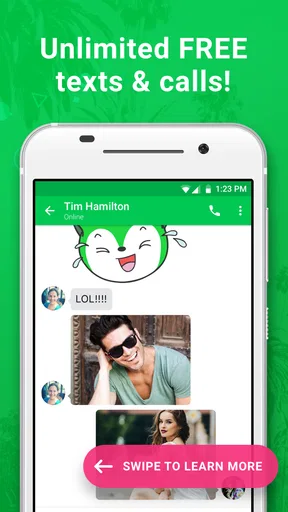
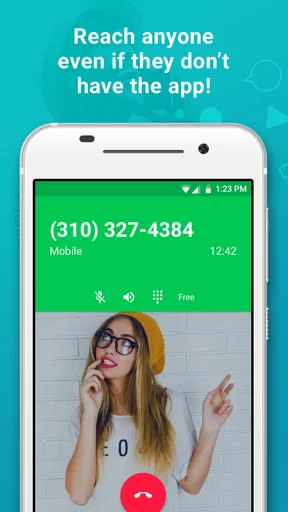
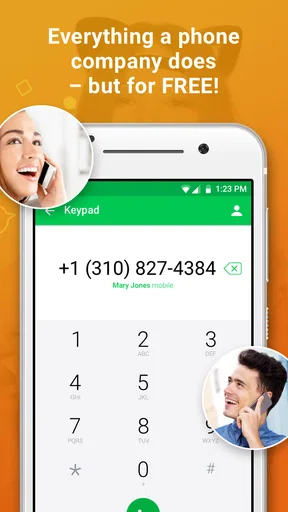
Now, let’s talk about what you came here for—the texting and calling features. With Nextplus, you can send unlimited texts and make calls to anyone in the U.S. for free. The call quality is surprisingly good, considering it’s all done over Wi-Fi. I’ve had a few calls that were a bit choppy, but that’s more on my Wi-Fi than the app itself.
The app also supports multimedia messaging, so you can send pictures, GIFs, and even voice notes. It’s not just about plain text here; you can spice up your conversations with a bit of flair.
International Calling
While calls within the U.S. are free, international calls do require credits. But don’t worry, you don’t have to empty your wallet. You can earn credits by watching ads or completing offers within the app. It’s a bit of a hustle, but hey, it’s a free service, so I can’t complain too much.
Customization and User Experience
One thing I really like about Nextplus is the level of customization it offers. You can choose different themes to suit your style, and there are plenty of ringtones and notification sounds to pick from. It’s these little touches that make using the app feel personal and not just another generic service.
Advertisements and In-App Purchases
Here’s the kicker though—since it’s a free app, Nextplus is ad-supported. You’ll see ads pop up every now and then, especially if you're earning credits. It can be a tad annoying, but considering the service is free, it’s a trade-off I’m willing to make. If ads aren’t your thing, there’s an option to remove them with an in-app purchase.
Compatibility and Performance
I tested Nextplus on both an Android and an iOS device, and the experience was pretty seamless on both platforms. The app ran smoothly, with no crashes or major bugs. It’s lightweight, so it doesn’t hog your phone’s resources. Just make sure you have a stable internet connection to keep the calls and texts flowing smoothly.
Final Thoughts
So, is Nextplus worth a download? If you’re looking for a way to keep your phone bill low or need a secondary number for privacy reasons, I’d say give it a shot. It’s not perfect, with its reliance on ads and the need for credits for international calls, but it gets the job done for basic communication needs. Plus, the customization options make it a fun app to use.
In a world where staying connected is crucial, having an app like Nextplus in your digital arsenal can be a real game-changer. So go ahead, download it, and let me know what you think!
Verdict
Strengths of Nextplus: Phone # Text + Call
- Free calls and texts to other Nextplus users
- User-friendly interface with easy navigation
- No contracts or hidden fees involved
- Works well with Wi-Fi or data connections
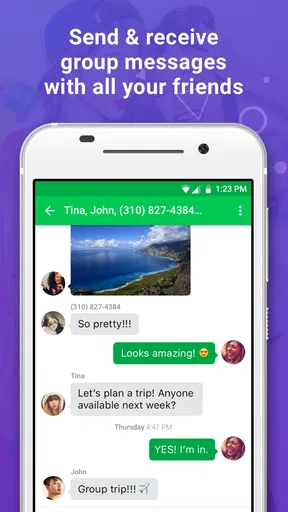
- Offers voicemail and group messaging options
Limitations of Nextplus: Phone # Text + Call
- Ads can be intrusive at times
- Limited features without in-app purchases
- Not ideal for international calling
- Requires internet for all communications
- Occasional connectivity issues reported
Other Releases by textPlus
View All
textPlus: Text Message + Call
Social4.1
Similar Picks in This Category
View All
Google Messages
Google LLC4.6

Gmail
Google LLC4.1

Google Meet
Google LLC4.4

Google Chrome
Google LLC4.1

WhatsApp Messenger
WhatsApp LLC4.6

Carrier Services
Google LLC4.2
Frequently Asked Questions
What is Nextplus: Phone # Text + Call?
Nextplus is a communication app that provides users with a free phone number to send texts and make calls over Wi-Fi. It's perfect for those looking to stay connected without using cellular data. The app integrates seamlessly with your device, allowing you to send and receive messages just like any traditional SMS app.
Is Nextplus free to use?
Yes, Nextplus offers free texting and calling services. However, it does include ads, which can be removed through in-app purchases. Calls to non-Nextplus numbers may require credits, which can be earned through watching ads or purchased directly. The app provides a variety of options to stay connected without breaking the bank.
How does Nextplus handle call quality?
Nextplus relies on a stable Wi-Fi connection for its services. The call quality is generally good, but it can vary depending on your internet speed and connection stability. Ensuring a strong and consistent Wi-Fi signal will typically result in clear voice calls and seamless messaging experiences.
Can I use Nextplus internationally?
Yes, Nextplus can be used internationally as long as you have a Wi-Fi connection. This makes it an excellent option for travelers looking to avoid costly roaming charges. Keep in mind that while texting between Nextplus users is free, calls to international numbers might incur additional charges.
Does Nextplus work on both Android and iOS devices?
Absolutely, Nextplus is available for both Android and iOS platforms. The app is designed to provide a consistent user experience across both operating systems, making it easy to stay connected regardless of the type of device you use. Simply download the app from the respective app store to get started.
